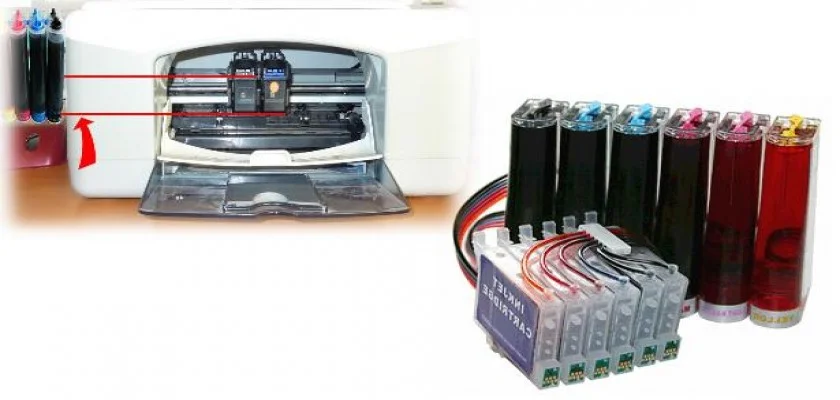
How to Refill Tanks?
When your printer tanks run out of ink, you can easily refill them in a short time. However, models that come with the OSSE ink system must be refilled with OSSE ink specifically developed for these systems. It is important to know that if you refill with different chemicals and inks, after approximately 100 to 300 pages of printing, sediment will form in the tubes, causing blockages. In such cases, the systems will be void of warranty. If you lack knowledge and experience in these matters, you should definitely seek the necessary information and services from experts and experienced individuals.
To prevent the tubes from drawing air, ink tanks should be refilled when the ink level is approximately one finger's width from the bottom, before the ink completely runs out. When performing refill operations on continuous ink tank printers, you must first close the small air stoppers on the tanks and then open the larger stoppers. Ink will begin to fill through the openings when you open the larger stoppers.
What to Know About Absorber Refill Errors?
After the refilling process is complete, close the larger stoppers. Then, reopen the small stoppers. With these steps, you can resume printing efficiently and quickly. These errors generally indicate that the devices have reached the end of their operational life. Once these errors start appearing, you must replace your devices. The warranty for the ink cartridges of continuous ink tank printers is typically 6 months or up to 3,000 pages. You will need to pay a certain fee to replace the print cartridges. New print cartridges should be sent to you as new and under warranty when purchased. Furthermore, it is important to note that print cartridges are sent ready for installation. If a different type of ink is used in continuous ink tank systems, the devices will be excluded from warranty coverage. Devices sent for maintenance must be shipped with Yurtiçi Kargo on a collect-on-delivery basis.
www.biribenibitirsin.com